143
Widgets
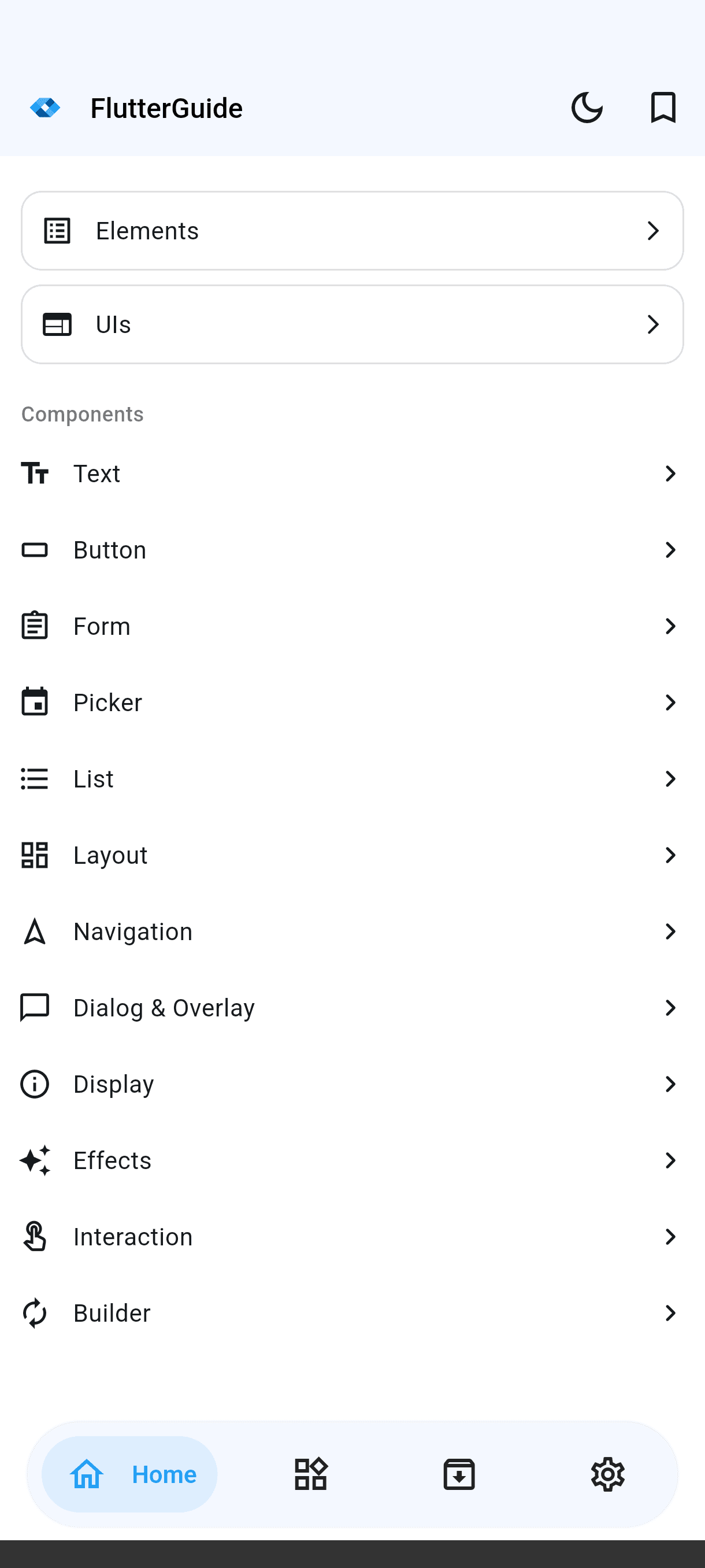
Material and Cupertino, grouped by what they do.
- Text
- Button
- Form
- Picker
- List
- Layout
- Navigation
- Dialog & Overlay
- Display
- Effects
- Interaction
- Builder
Features
Everything you need to go from reading about a widget to using it: no setup, no boilerplate, no guessing.
Every sample runs inside the app. Tap, scroll and type to see how it really behaves.
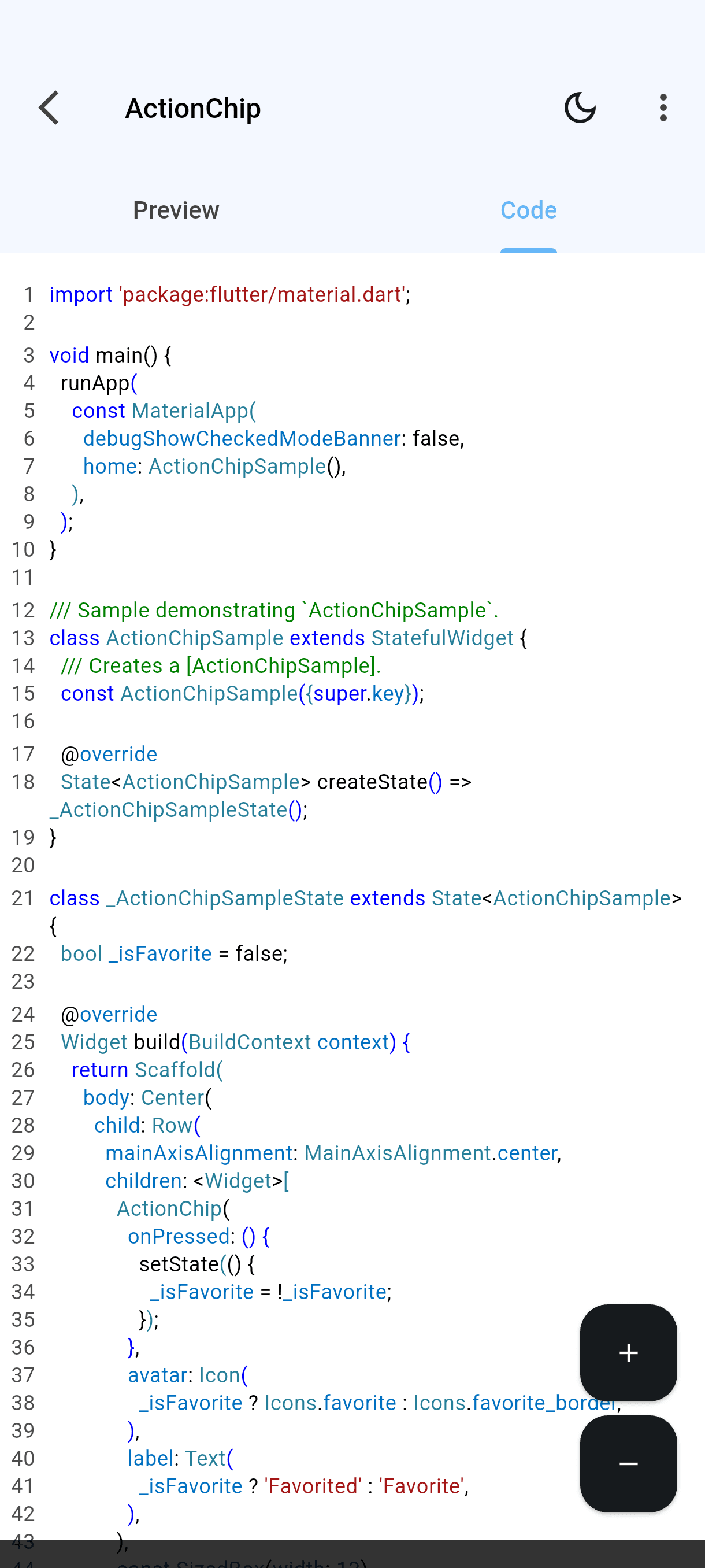
The full, runnable source sits one tab away from its preview.
Browse by group (text, forms, layout, navigation) or search by name.
Save the samples you keep coming back to and find them in one tap.
Pick the syntax theme you read best, in light or dark mode.
The whole app in English, Portuguese and Spanish.
Learn by doing
Open any sample and flip between what it does and how it's written. Understand it, copy it, and use it in your own project.
import 'package:flutter/material.dart';

void main() {
  runApp(
    const MaterialApp(
      debugShowCheckedModeBanner: false,
      home: ActionChipSample(),
    ),
  );
}

/// Sample demonstrating `ActionChipSample`.
class ActionChipSample extends StatefulWidget {
  /// Creates a [ActionChipSample].
  const ActionChipSample({super.key});

  @override
  State<ActionChipSample> createState() => _ActionChipSampleState();
}

class _ActionChipSampleState extends State<ActionChipSample> {
  bool _isFavorite = false;

  @override
  Widget build(BuildContext context) {
    return Scaffold(
      body: Center(
        child: Row(
          mainAxisAlignment: MainAxisAlignment.center,
          children: <Widget>[
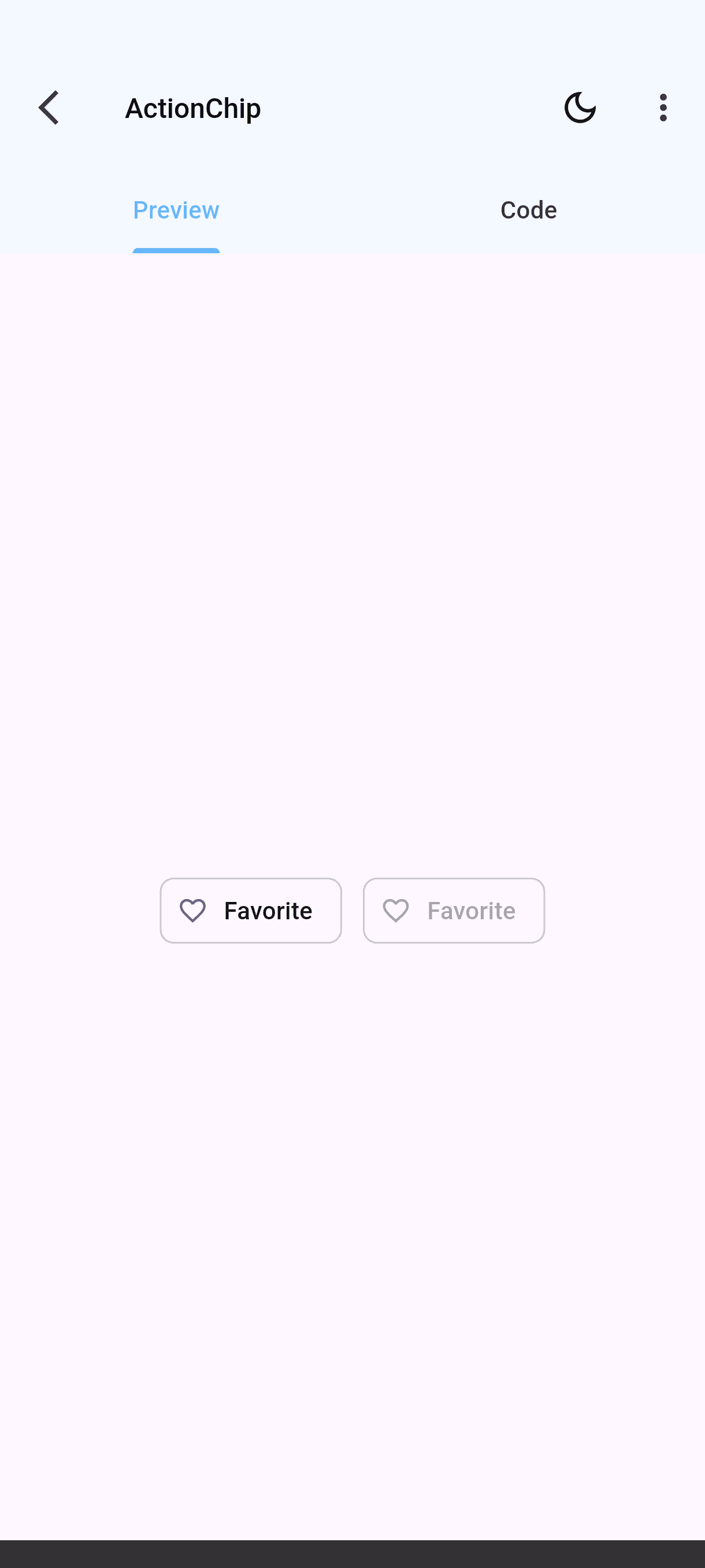
            ActionChip(
              onPressed: () {
                setState(() {
                  _isFavorite = !_isFavorite;
                });
              },
              avatar: Icon(
                _isFavorite ? Icons.favorite : Icons.favorite_border,
              ),
              label: Text(
                _isFavorite ? 'Favorited' : 'Favorite',
              ),
            ),
            const SizedBox(width: 12),
            ActionChip(
              avatar: Icon(
                _isFavorite ? Icons.favorite : Icons.favorite_border,
              ),
              label: Text(
                _isFavorite ? 'Favorited' : 'Favorite',
              ),
            ),
          ],
        ),
      ),
    );
  }
}The catalog
From a single Text widget to a complete chat screen, everything is grouped the way you'd look for it.
Material and Cupertino, grouped by what they do.
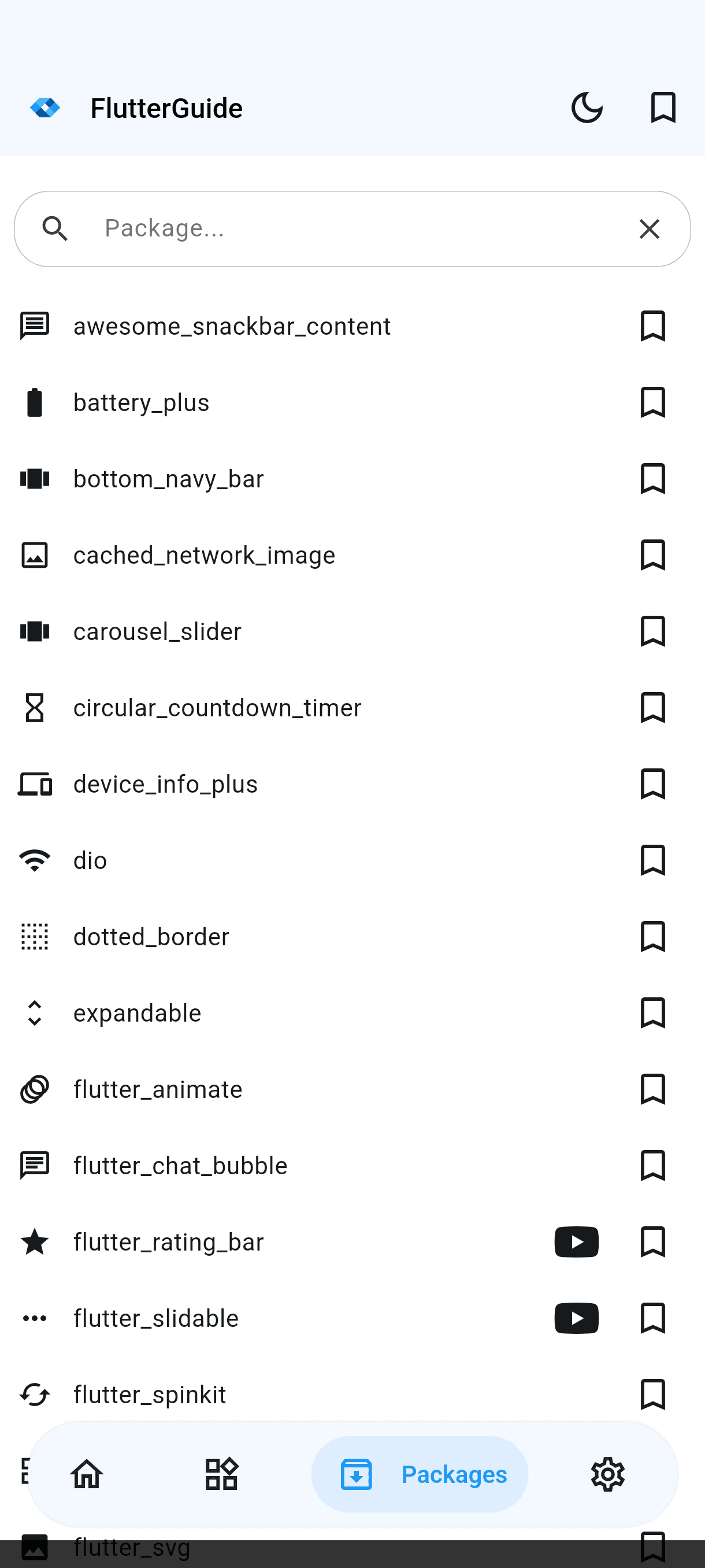
Popular pub.dev packages, like dio, shimmer and flutter_svg, running live.
Dialogs, menus, pickers and other core functions.
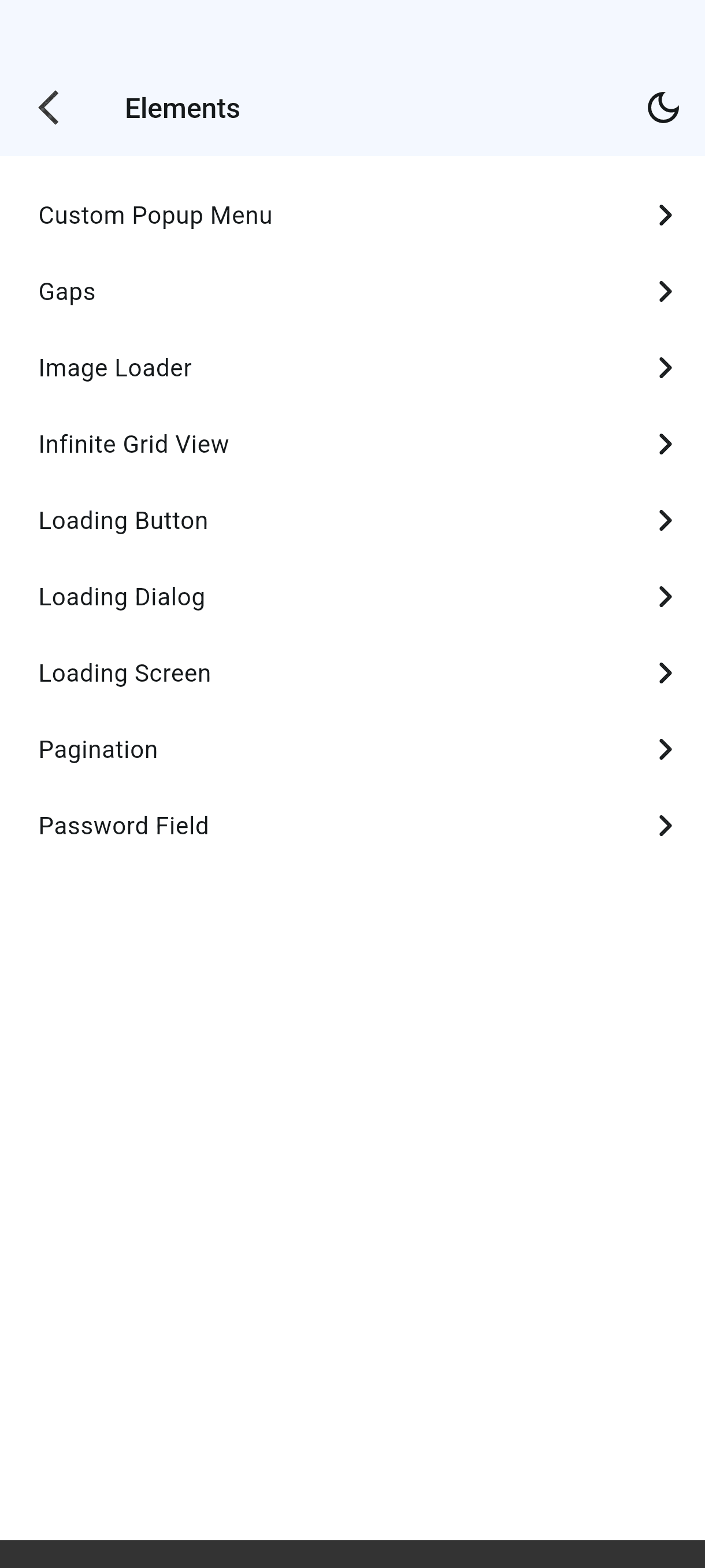
Reusable interface pieces for common patterns.
Complete screens: login, chat, an email client and more.
46 pub.dev packages, each running live in the app
Inside the app
A clean interface that stays out of the way, so the code gets your full attention.
01Home, with every component group
02Elements catalog
03UI samples catalog
04The widget catalog, with search and favorites
05A widget's live preview
06The same widget's source code
07Packages catalog
08Settings
09Code theme selector
Deep links
Found something worth showing a teammate? Share it, and the link opens that exact sample in their app.
Any widget, package, function, element or UI.
You get a direct link to that exact sample.
No searching: the app opens straight to the sample.
Shared link
flutterguide.app/widgets/ActionChip
Open source
The whole app is on GitHub under the MIT license. Read how it's made, open an issue, or send the sample you wish existed.
Built with Flutter, Riverpod and go_router
Widgets, packages, UI ideas and fixes are all welcome. The contributing guide walks you through setup and the quality gate.
CI on every change
Formatting, static analysis, tests and coverage run on each pull request.
Strict lints
The code is held to the very_good_analysis rule set.
Coverage gates
The build fails below 95% line coverage, 98% for the design system.
Documented releases
Every version is logged in a public changelog.
What's new
The latest releases, straight from the app's changelog.
Expanded wrapper from the dialog button widgetFAQ
Can't find what you're looking for? Open an issue on GitHub.
Get started
Download FlutterGuide for free and carry 216+ runnable samples in your pocket.